• Responding to email notices you receive.
    **************************************************
    In short, DON'T! Email notices are to ONLY alert you of a reply to your private message or your ad on this site. Replying to the email just wastes your time as it goes NOWHERE, and probably pisses off the person you thought you replied to when they think you just ignored them. So instead of complaining to me about your messages not being replied to from this site via email, please READ that email notice that plainly states what you need to do in order to reply to who you are trying to converse with.

  • IMPORTANT! PLEASE READ!! About the Google Adsense ads being displayed

    =====================
    Posted 08/15/2025
    =====================


    Yeah, I know. They are a pain in the butt. But they pay the bills to keep my server running. Just a fact of life, I am afraid.

    Want to get rid of them? Simple. Just become a Contributor level member or above and they will be gone. -> Please click HERE."

    Is that too much for me to ask of you to keep this site running? Well, sorry about that. I too wish I could get everything for free. But alas.....

    =====================
    Addendum: 01/10/2026
    =====================


    Google Adsense ad revenue for December, 2025 was just $30 over the cost of the lease for the server running this site. So, in effect, the money providing the incentive for me to continue running this site is coming SOLELY from the paid memberships and sponsorships here. Which honestly ain't much....

Pic Posting Problem

Boidmom

New member
Joined
Aug 25, 2006
Messages
61
Reaction score
0
Points
0
Age
50
Location
Evanston Wyoming
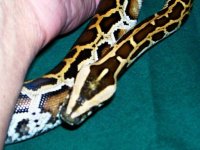
I used my digital camera to take photos of my young burmese python and the file is on Windows/My Pictures, it is also on the Kodak Easy Share software I've installed, and I've copied it to a CD. When I try to post an image it asks for an http address, have no idea how to create one or to find it if the file already has one, and every time I try to upload the pics as attachments it says the file is too large. This can't be this complicated! Can somebody help? She has a mark on her head that I would like an opinion on and I am getting very frustrated.... :ack2:
 
Athena, I already told you you could email me the pics, lol.
BUT, so you know how to do it yourself:
The http address would be from a photo/file storage site like Photobucket or ImageEvent. If you want to just attach them, you will need to reduce the size. To do that: go into Paint (you probably have it on your computer)
Click File, then Open, then locate and select your pictures (one at a time). Once you have the photo open, click Image, then Stretch/Skew. Under the Stretch heading, you will see a place for changing the Horizontal and Vertical size. This is based on a percentage of the original - make sure you plug the same number into each, or your pic will be distorted. I use 22% for mine, but you may have to play with the numbers depending on the size of your originals.
Hope this helps!!
 
not sure why you would pick that one, but I can access it (if I can remember the password, lol) - will post the pics by morning
 
Hmmmm - they aren't there. I'll check back in a few hours. I also looked at your other "test" post, and I can't make that work even with some manipulation of the code you entered.
 
Got the pics a few minutes ago (the mail must be running slow tonite). FYI, I only cut them to 50% size prior to attaching - I'm only mentioning that to save you some trial and error if you decide you wish to attach pics here in the future. Also - that spot is "normal" & will fade with time.
 

Attachments

  • burmhead2.jpg
    burmhead2.jpg
    27.6 KB · Views: 75
  • burmhead.jpg
    burmhead.jpg
    50.3 KB · Views: 90
Thank you so much!! I have been in and out this week (mostly out) and hadn't had a chance to check back...you got the ones I would have posted :)
 
Go to this site www.photobucket.com open a free account then upload all you pics.. when you come to most site like this one all you need do is open the photo in your photobucket account, them right click on it, click properties then copy the url address. then come here and do this

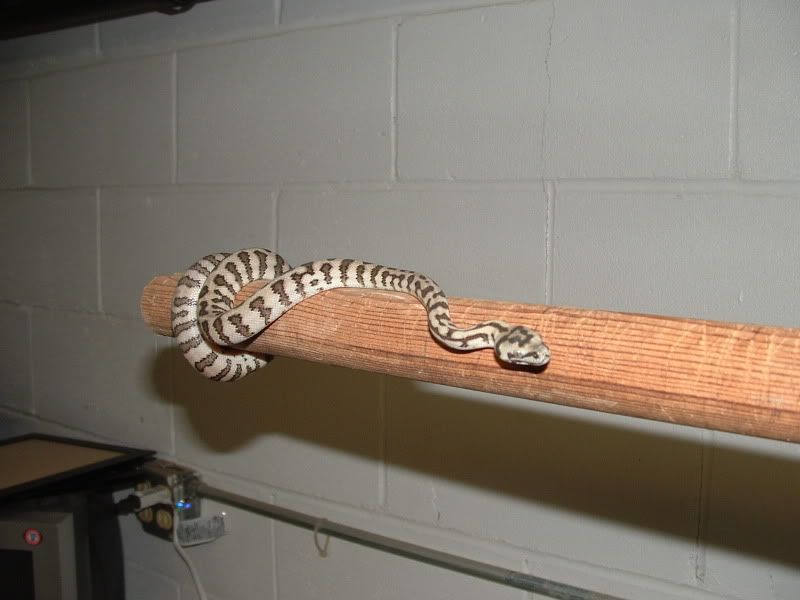
here is a pic from my photobucket account.
DSCF0028-1.jpg

always a good idea to preview your post to make sure it works, the
works on most sites. hope that helps..Randy
 
Still not working

I set up the acct. like you said, Randy, and copied the URLs onto the post but when I previewed all I got was a bunch of little white squares with red x's in them, am I doing something wrong?
 
Athena - go ahead and post one...don't worry about the way it looks (or if it doesn't show up). I can go into your post and see what is going on and tell you what the problem is
 
Back
Top