• Responding to email notices you receive.
    **************************************************
    In short, DON'T! Email notices are to ONLY alert you of a reply to your private message or your ad on this site. Replying to the email just wastes your time as it goes NOWHERE, and probably pisses off the person you thought you replied to when they think you just ignored them. So instead of complaining to me about your messages not being replied to from this site via email, please READ that email notice that plainly states what you need to do in order to reply to who you are trying to converse with.

  • IMPORTANT! PLEASE READ!! About the Google Adsense ads being displayed

    =====================
    Posted 08/15/2025
    =====================


    Yeah, I know. They are a pain in the butt. But they pay the bills to keep my server running. Just a fact of life, I am afraid.

    Want to get rid of them? Simple. Just become a Contributor level member or above and they will be gone. -> Please click HERE."

    Is that too much for me to ask of you to keep this site running? Well, sorry about that. I too wish I could get everything for free. But alas.....

    =====================
    Addendum: 01/10/2026
    =====================


    Google Adsense ad revenue for December, 2025 was just $30 over the cost of the lease for the server running this site. So, in effect, the money providing the incentive for me to continue running this site is coming SOLELY from the paid memberships and sponsorships here. Which honestly ain't much....

FaunaClassifieds upgrade now in progress

When I try to attach an 85 KB JPG I get the following message "Exceeds your quota by 1.61 MB. Click here to view your attachments". It's a pop up window so I can't get the url and I can't attach an image because I'm over my quota.

When I click the "Click here..." link it show me all my attachments and gives me the option of deleting them individually.

It's on this page http://www.faunaclassifieds.com/forums/profile.php?do=editattachments


I also see the following "You are currently using 2.51 MB to store 87 uploaded attachments." The only thing I have stored is in Herps in the News. I guess I don't really need to attach images to any more News articles but I think it adds to the article.

Try it now, please. I think it may have been something to do with overlapping member groups. So I made some changes......
 
I really like the "new" layout, Thanks Rich!

The speed (for me at least) is phenominal although I'd smack you with a wet noodle for making me learn all the new-fandangled ways to keep in contact with my friends here if I wasn't so busy learning it! :)

I do miss spell-check though, can't wait until you can help those of us that need to keep a dictionary and thesarus on the desk when we type!

Seriously though, I really like this! Thanks again!
 
I checked with my programmer about the spell checker, and apparently an official mod for this latest version of vBulletin hasn't been done yet. So the choices are for me to wait for someone to do that so he can implement it, or pay for his time and effort to do the mod himself. This is all expensive enough, so much as I like the spell checker myself, I will wait on the mod.

Sorry, but paid memberships are dwindling here, and I have to tighten the purse strings. I guess the economy is hitting everyone these days.
 
I checked with my programmer about the spell checker, and apparently an official mod for this latest version of vBulletin hasn't been done yet. So the choices are for me to wait for someone to do that so he can implement it, or pay for his time and effort to do the mod himself. This is all expensive enough, so much as I like the spell checker myself, I will wait on the mod.

FireFox has a built in spell check. Might be something for some to consider as an option. :)
 
Try it now, please. I think it may have been something to do with overlapping member groups. So I made some changes......

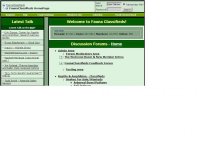
I've attached an image of the old home page which I miss as a test. It appearsd to have worked I did not get the error message and the image appears to be attached.
 

Attachments

  • oldfauna.jpg
    oldfauna.jpg
    49 KB · Views: 99
I checked with my programmer about the spell checker, and apparently an official mod for this latest version of vBulletin hasn't been done yet. So the choices are for me to wait for someone to do that so he can implement it, or pay for his time and effort to do the mod himself. This is all expensive enough, so much as I like the spell checker myself, I will wait on the mod.

Sorry, but paid memberships are dwindling here, and I have to tighten the purse strings. I guess the economy is hitting everyone these days.

Oh, Rich, I wasn't really whining just wanted to give you a heads-up in case you cringe too much at my atrocious spelling! :D

I'll keep up my paid membership, it's the least I can do to support this site and all it's come to mean to me.
 
Hello,

I attached a image avator of my albino Spider but there is a 2nd image of a Tribal Dragon; How do I remove it? I never even loaded that to my profile or do I have a pic like that on my computer.

Thx

Michael Castillo
 
I just saw that on mine, I think it represents our *HELL* membership.

I think it's cool!


Edit:Trust fast-fingers Dennis to beat me to the post- LOL!
 
I thought it was a dogs face and I've been trying to figure out how to get rid of it. A dragon? Your sure? I still don't like it.

If someone could forward to me a better pic of a dragon's head (.gif with transparent background, no more than 120 pixels wide) I will change it. That's what I could come up with in the spare few moments I had when I thought of doing this..... :shrug01:
 
If someone could forward to me a better pic of a dragon's head (.gif with transparent background, no more than 120 pixels wide) I will change it. That's what I could come up with in the spare few moments I had when I thought of doing this..... :shrug01:

I do 3D graphic pictures with a program called Poser and have several different dragons. If you would like I could render a few and run them by for your perusal just let me know what size you would like or I can render them large and you can pick one I could resize.

Let me know, I can render quite a few before say 9:00pm eastern.

Edit: by large I meant say 640x640 so you could see details, then resize to 120.
 
I do 3D graphic pictures with a program called Poser and have several different dragons. If you would like I could render a few and run them by for your perusal just let me know what size you would like or I can render them large and you can pick one I could resize.

Let me know, I can render quite a few before say 9:00pm eastern.

Edit: by large I meant say 640x640 so you could see details, then resize to 120.

Sure. But bear in mind that the file size has to be very small so it doesn't bog down the system.

Sorry guys, I'm trying to play with the new features between working with the animals, so changes will happen at the drop of a hat.....
 
No problem on the file size and the image quality will be fine. I have six or so good looking dragons so be expecting a couple e-mails with three attachments about 9:00!

I think you'll all like them!
 
I turned those features off - too much clutter for me....and I'm not a social networking kind of guy. Nothing personal to any of my friends that sent invites.

hhmoore said:
Well, I thought I disabled them all...
I don't get emails for the "friends" requests, but I still get message notifications. Hopefully there is a way to shut that off, and I just haven't found it yet. If not, I'll have to change the last line of my signature to "No, I won't be your friend - please don't ask".

Again, to the friends that have sent requests to me: no offense, and nothing personal, I just don't want to utilize that option.
LOL.. I was just thinking we might have you welcome and be in the friends list of all new registrations. Just like myspace. To make sure all know the features and benefits of the site. You can be fauna's "Tom".
 
Back
Top