• Responding to email notices you receive.
    **************************************************
    In short, DON'T! Email notices are to ONLY alert you of a reply to your private message or your ad on this site. Replying to the email just wastes your time as it goes NOWHERE, and probably pisses off the person you thought you replied to when they think you just ignored them. So instead of complaining to me about your messages not being replied to from this site via email, please READ that email notice that plainly states what you need to do in order to reply to who you are trying to converse with.

  • IMPORTANT! PLEASE READ!! About the Google Adsense ads being displayed

    =====================
    Posted 08/15/2025
    =====================


    Yeah, I know. They are a pain in the butt. But they pay the bills to keep my server running. Just a fact of life, I am afraid.

    Want to get rid of them? Simple. Just become a Contributor level member or above and they will be gone. -> Please click HERE."

    Is that too much for me to ask of you to keep this site running? Well, sorry about that. I too wish I could get everything for free. But alas.....

    =====================
    Addendum: 01/10/2026
    =====================


    Google Adsense ad revenue for December, 2025 was just $30 over the cost of the lease for the server running this site. So, in effect, the money providing the incentive for me to continue running this site is coming SOLELY from the paid memberships and sponsorships here. Which honestly ain't much....

did a search on my own name...Missing posts.

Skanakis

GreekSnakeFreak
Joined
Sep 11, 2011
Messages
354
Reaction score
8
Points
0
Age
51
Location
Marco Island, Florida.
Once again here sitting at work. Bored i did a search on my own name. Skanakis here on Fauna. I see not all the threads i have placed on the BOI are coming out. Im actually just talking about the Good Guy BOI threads i have started about the great buys i have gotta thru people here. I dont see all of them. Missing quite a few. Anyone know why? :shrug01:
 
I found more posts i posted when i put in the search my Entire full name. Which is required in the BOIs. Still alittle confuzzled why the screen name doesnt show em all.
 
the search function looks for usages of (insert search term here) within the post, it does not search the member names. So when someone quotes you it has the text 'posted by Skanakis' and that is found in the search. If you make a post but do not sign or type 'Skanakis' in it, it won't be found by searching for your name. Make sense?

To see the posts you have made, click on your own name and 'find more posts' or view your own profile (click on your own name), then under statisitics you can 'find all posts by Skanakis'.

I hope that helps?
 
I moved this to the feedback forum because it is a discussion about this site.

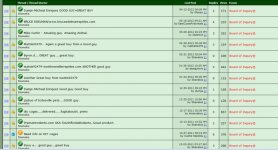
As April stated your posts are there. You can either search all your posts in your user profile or you can search by threads you started. You can also search by forum in the advanced search option. With a quick search of your BOI threads 17 came up. We don't delete posts on the BOI unless those posts violated a rule. They are there.
 

Attachments

  • Capture.jpg
    Capture.jpg
    128.8 KB · Views: 161
  • 1.jpg
    1.jpg
    38.6 KB · Views: 155
To see the posts you have made, click on your own name and 'find more posts' or view your own profile (click on your own name), then under statisitics you can 'find all posts by Skanakis'.

I hope that helps?

The "View all posts by ____" search shows 200 previous posts. While it will still be able to show Skanakis's posts for now, once he makes a few more, the search won't help if he wants to see his first post. :eek:
 
The "View all posts by ____" search shows 200 previous posts. While it will still be able to show Skanakis's posts for now, once he makes a few more, the search won't help if he wants to see his first post. :eek:

Well, actually you can by using the advanced search and set the "Sort results by" options to Last Posting Date and in Ascending Order.
 
Well, actually you can by using the advanced search and set the "Sort results by" options to Last Posting Date and in Ascending Order.

Well color me blind. That I didn't know. Thanks for the info!
 
Back
Top