• Responding to email notices you receive.
    **************************************************
    In short, DON'T! Email notices are to ONLY alert you of a reply to your private message or your ad on this site. Replying to the email just wastes your time as it goes NOWHERE, and probably pisses off the person you thought you replied to when they think you just ignored them. So instead of complaining to me about your messages not being replied to from this site via email, please READ that email notice that plainly states what you need to do in order to reply to who you are trying to converse with.


  • IMPORTANT! PLEASE READ!! About the Google Adsense ads being displayed

    =====================
    Posted 08/15/2025
    =====================


    Yeah, I know. They are a pain in the butt. But they pay the bills to keep my server running. Just a fact of life, I am afraid.

    Want to get rid of them? Simple. Just become a Contributor level member or above and they will be gone. -> Please click HERE."

    Is that too much for me to ask of you to keep this site running? Well, sorry about that. I too wish I could get everything for free. But alas.....

    =====================
    Addendum: 01/10/2026
    =====================


    Google Adsense ad revenue for December, 2025 was just $30 over the cost of the lease for the server running this site. So, in effect, the money providing the incentive for me to continue running this site is coming SOLELY from the paid memberships and sponsorships here. Which honestly ain't much....

Malware/Privacy Intrusion Virus in P.M.'s?!?!

scam

Hello All, I would just like to add that I also got this scam and it did come through this site as i dont visit many others except forums and classifieds. There is an easy way to get rid of it though. If it is the windows 7 one pictured on page one you can simply go into the task manager and shut down the process running the scam which will allow you to safely remove it. The process is mixed letters something like fgadefgoieu.exe, you can look at the creator of that file all the way to the right and you will see healthcare something (sorry was more then a week ago so I forgot a little) If the process is not shut down then it will block all your attempts to remove it. Also try to open as few programs as possible while fighting this scam. This scam attaches itself to the programs that you open while infected causing that program to say it is infected also. Good luck to those affected by this situation.

Ron
 
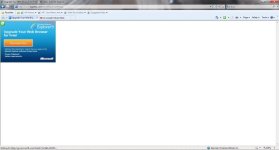
while browsing via work pc which has great protection, I get the 'this pop up was blocked' message and then today, I was looking at an ad, clicked 'new posts' and was taken to this page (screenshot attached; website - iegallery dot com) - so then I went 'back', tried the same action again and it worked like it should. Something strange is afoot at the circle K. I should have made note of what ad was up on the classified I was looking at but didn't think of it.

Not sure if it's related but could be...
 

Attachments

  • virusmaybe.jpg
    virusmaybe.jpg
    52.5 KB · Views: 146
I had this exact same thing.....took the puter to office depot and $139 later it was fixed.....and added an antivirus program for the future.

Chris, find a local guru! I usually charge between $25 to $45 to clean virus, update every thing, clean inside pc and add antivirus. If real bad and need to back up files and re install, update and all around $75.00 to $90.00
 
I too, have been getting insane amounts of popup windows, but I haven't been clicking ads. Mostly while browsing here, eBay, Amazon, etc. rather annoying, but they're not malicious as far as I can tell.
 
Seems that most of my popups (blocked, of course) happen when I am browsing Google doing searched. Any link to a site called "boardreader" invariably triggers a blocked popup.
 
I too had my work computer infested twice in a week. I havent been on fauna in a while but the first time i happened was probably the week of the 20th and then yesterday it happened again. I called the IT people we use at work both times and they remoted in and fixed it twice. This thread was brought to my attention so I wanted to put it out there. I didnt have any issues until i visited fauna (there are only 3 websites i visit daily at work) and it only happened when i visited. I didnt PM or do anything but browse the threads and look at some profiles of people I know... nothing more... hopefully my personal computer does not become infected with the issue.
 
If such things happen again, and it's possible to do so, please take a look around as to what is being displayed on your browser at the time you feel the problem has been initiated on your system. Make note of which ads are being displayed in both the Google ads, and the ones that are being provided from FaunaAds.com.

Since any sort of executable code has been disabled within post on this site itself, it's not likely that the problem actually stems from within the posts and threads you are reading.
 
Don't know if this will make a difference, but since the day I posted those two that I got, I haven't had any more little notifications.
 
I too got hit with this, while I was browsing the General Discussion forums. I let my computer sit off for about 2a week and a half, then I turned it back on and ran my antivirus right way, (after turning off my wifi to my computer, and shutting off all my running programs), and it found the virus, 2 of them actually, and then deleted them off my computer. I have my antivirus running in the background more often now. But I was scared to come back to this website until I got things set. I hope that I don't encounter another "google ads based" virus again. It sucked not having my computer for that long. lol
 
Unfortunately Brandi it's hitting places like Msn and Espn also.

I just got it on my pc but caught it immediately and got rid of it. This time it infected java 6 folder.

I keep combofix.exe on my pc in a folder on desktop. Since these particular attacks shut down known protection I renamed it to JColt.exe and bypass a lot of problems. I have an ssd so it fixes it in like 5 min's.
 
I'm not sure if it's related, and I will get more info when I get home, but the last two times I was on here, this weird PDF error would pop up and it wouldn't allow me to close it and would freeze when I opened task manager to cancel it. After a reboot, there wasn't a problem, until it happened again with the same results.
 
Back
Top