• Responding to email notices you receive.
    **************************************************
    In short, DON'T! Email notices are to ONLY alert you of a reply to your private message or your ad on this site. Replying to the email just wastes your time as it goes NOWHERE, and probably pisses off the person you thought you replied to when they think you just ignored them. So instead of complaining to me about your messages not being replied to from this site via email, please READ that email notice that plainly states what you need to do in order to reply to who you are trying to converse with.

  • IMPORTANT! PLEASE READ!! About the Google Adsense ads being displayed

    =====================
    Posted 08/15/2025
    =====================


    Yeah, I know. They are a pain in the butt. But they pay the bills to keep my server running. Just a fact of life, I am afraid.

    Want to get rid of them? Simple. Just become a Contributor level member or above and they will be gone. -> Please click HERE."

    Is that too much for me to ask of you to keep this site running? Well, sorry about that. I too wish I could get everything for free. But alas.....

    =====================
    Addendum: 01/10/2026
    =====================


    Google Adsense ad revenue for December, 2025 was just $30 over the cost of the lease for the server running this site. So, in effect, the money providing the incentive for me to continue running this site is coming SOLELY from the paid memberships and sponsorships here. Which honestly ain't much....

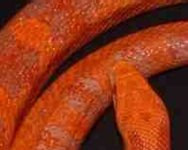
"What do you see in this picture?"

What you are observing are compression artifacts. Take a look at highly compressed MPEG, AVI, WMV, etc files and you will see the same thing. Part of some compression algorithms is that they take square blocks of the image, just like that, to break down the image into progressive "layers." ;)

Attached is a screenshot from Blazing Saddles (Recompressed using MPEG algorithms) showing the same compression artifacts. The hand is in motion, and thus "more compressed" and thus more blocky.

 

Attachments

  • Image1.jpg
    Image1.jpg
    22.2 KB · Views: 84
For another example, here's a progression (zoomed in at 4X) of the same picture being compressed at 30, 50, 75, and 90% on a JPEG algorithm.
 

Attachments

  • Org1.jpg
    Org1.jpg
    47.5 KB · Views: 85
  • Org2.jpg
    Org2.jpg
    52.2 KB · Views: 86
  • Org3.jpg
    Org3.jpg
    42 KB · Views: 88
  • Org4.jpg
    Org4.jpg
    36 KB · Views: 88
Hummmm, interesting. The effect of the higher compression is very similar to how photo mosaics look. I'm still wondering where the extra colors came from (like the yellow, blue, and greens).
 
Serpwidgets, you're right on, and great examples. This thread was bugging me to no end as I was reading it. I've been a professional graphic artist for over ten years and have seen (or done) nearly every kind of photo manipulation there is. My first thought when I saw this was it's just a bad photo that's been overly compressed. Automatic color reduction and file compression can certainly do funky things to photos and the colors therein. To compress skillfully takes a gentle hand and a critical eye, and there IS a do not cross line as far as compressing too much. This person didn't see that line. I do think the color has been manipulated to make the snake redder, but as far as superimposed images of devils and babies, no.. I really don't think so.
 
Back
Top